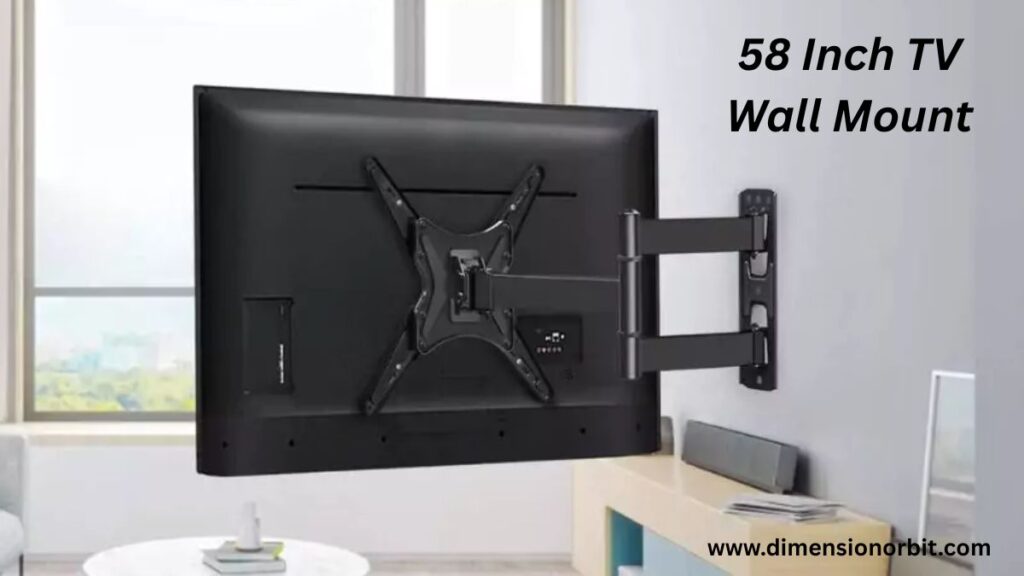
Mounting a 58 inch TV wall mount sounds simple until you’re standing in your living room holding a giant, awkward rectangle while staring at a wall that suddenly feels way too far away. Gravity becomes an enemy, stud finders seem to hide, and your carefully planned cable setup looks like a spaghetti nightmare. One wrong move, and your “home theater upgrade” could turn into a very expensive lesson in physics. Don’t worry this guide will walk you through every detail, from choosing the right mount and checking VESA patterns to installing safely and hiding cables. By the end, your TV will sit perfectly, safely, and probably make your friends jealous.
Do All 58 Inch TVs Use the Same Mount?
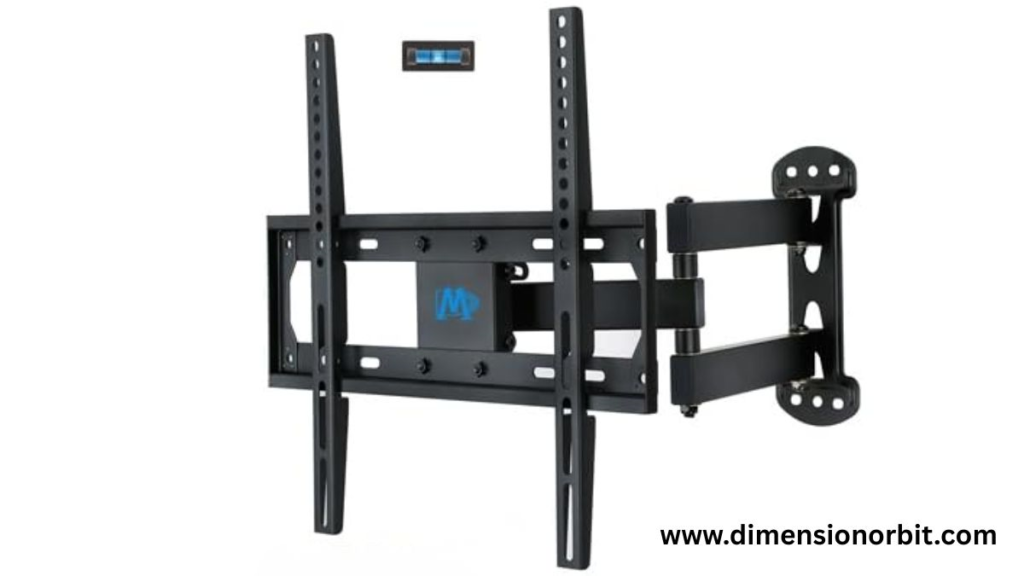
A common misconception is that all 58 inch TVs are the same behind the screen. The size doesn’t determine how a TV attaches to the wall. The real factor is the VESA pattern, which refers to the standardized spacing of mounting holes. Some 58 inch TVs use a 400×400 pattern, others 200×200, and a few unique models have proprietary designs. Even if a mount claims to be “universal,” it still must align with the TV’s VESA specifications. Measuring the horizontal and vertical distances on the back of the TV in millimeters is the most reliable way to ensure the mount will fit perfectly.
How Much Does a 58 Inch TV Weigh?

Weight is one of the most important factors in choosing a mount. Most 58 inch TVs weigh between 40 and 60 pounds without their stand. OLED models tend to be lighter, while LED or mini LED models with larger back panels are heavier. This is why a heavy duty 58 inch TV mount should support at least 100 pounds. It isn’t just about the TV itself; tilt, swivel, and motion add torque, which can stress the wall and bracket over time. Choosing a mount rated too low is a risk you don’t want to take.
For perspective, OLED 58 inch TVs usually weigh 40–50 pounds, LEDs weigh 45–60 pounds, and mini LEDs can reach 65 pounds. The mount needs to account for these differences.
Types of 58 Inch TV Wall Mounts
Mounts come in several styles, and each style affects functionality and appearance. A fixed mount keeps the TV close to the wall, giving a sleek, minimalist look. It’s reliable and simple but doesn’t allow tilt or swivel. Tilting mounts allow vertical adjustment, reducing glare and improving eye level comfort when the TV is mounted higher. Full motion or articulating mounts add the ability to extend, swivel, and tilt, which is perfect for rooms with multiple seating positions or corner setups. These flexible mounts must be installed carefully because the extended TV creates extra leverage, adding stress to the wall.
Choosing the Right Mount for Your Wall

The type of wall plays a critical role in mount selection. Drywall is common in most homes, but it requires stud anchoring to safely support a 58 inch TV. Concrete or brick walls are naturally stronger, but proper masonry anchors are essential. Stud spacing is usually sixteen inches, so the mount must align with studs or offer horizontal adjustment. Placement also matters. The center of the TV should generally be 42–48 inches from the floor to avoid neck strain. Installing a mount without considering height can make even the best TV feel awkward. Planning cable management is equally important. A TV cable concealment system or in wall routing keeps wires hidden, creating a clean and professional look.
Comparing Mount Options

Different mounts cater to different needs. Fixed mounts are best for small rooms or setups where the TV won’t be moved, while tilting mounts work well in bedrooms or over furniture that positions the TV slightly high. Full motion mounts are ideal in living rooms with multiple viewing angles, but they require stronger walls and careful installation. Budget mounts exist for lighter TVs, but they often compromise on materials and durability. The key is to match the mount to the TV’s weight, VESA pattern, wall type, and your room layout.
Installing a 58 Inch TV
Installation requires careful planning. Start by identifying studs or masonry points, then measure the height and centerline for the screen. Drill pilot holes to prevent wall damage, secure the wall bracket, and attach the TV brackets. Lifting a 58 inch TV alone is risky, so having at least two people ensures the TV goes up level and safely. Installing incorrectly can damage the wall or the TV, so preparation and precision matter more than brute strength.
Avoiding Common Mistakes
Many people mount TVs too high, ignore stud placement, or choose incompatible mounts. Cable planning is often an afterthought, which leads to unsightly dangling wires. Avoiding these mistakes ensures a clean and safe setup. Thinking through weight, VESA pattern, wall type, and cable management beforehand prevents headaches and keeps your living space looking professional.
Cable Management
Proper cable management transforms a setup from messy to elegant. In wall routing hides cables completely, while surface mounted raceways provide a safer alternative without cutting into walls. Adding a power outlet behind the TV further reduces clutter. Planning cable management during installation makes everything look intentional, tidy, and functional.
Room Specific Recommendations
Living rooms benefit from full motion mounts because seating positions vary, requiring flexibility. Bedrooms are better suited for tilting mounts that reduce glare and neck strain. Smaller rooms often work best with fixed mounts, which minimize wall stress and provide a clean, low profile appearance. Choosing the right mount based on room usage improves comfort and enhances the overall viewing experience.
Best 58 Inch TV Wall Mounts Comparison
| Mount Type | Weight Capacity | VESA Compatibility | Best Use Case | Price Range |
|---|---|---|---|---|
| Fixed / Low Profile | 120 lbs | Up to 400×400 | Minimalist rooms, consistent seating | $$ |
| Tilting | 110 lbs | Up to 400×400 | Bedrooms, higher placement, glare reduction | $$ |
| Full Motion / Articulating | 100 lbs | Up to 400×400 | Living rooms, flexible viewing angles | $$$ |
| Budget Fixed | 90 lbs | Up to 200×200 | Lightweight TVs, temporary setups | $ |
Digital tool
Digital tools like Feet and Inches Calculator can convert inches to centimeters or feet instantly. Many smartphone apps now offer augmented reality measuring features, allowing you to gauge objects virtually and compare them to known lengths.
FAQs
Can any mount hold a 58-inch TV?
No. The mount must support both the TV’s weight and VESA pattern. Using an incompatible mount can cause damage or safety issues.
How high should I mount a 58 inch TV?
The center of the screen should generally be 42–48 inches from the floor. If mounted higher, a tilting mount can reduce neck strain and improve viewing comfort.
Do all 58 inch TVs use the same mount?
No. Different models have different VESA patterns and weight ratings. Always check your TV’s specifications before selecting a mount.
Is a full motion mount safe for a 58-inch TV?
Yes, as long as the mount is rated for the TV’s weight and properly installed into studs or masonry.
Should I hire a professional to mount a 58-inch TV?
Professional installation is recommended for heavy TVs, masonry walls, or complex setups like above fireplaces to ensure safety and precision.
Can you mount a 58 inch TV by yourself?
Technically yes, but it’s risky. Having at least two people ensures the TV goes up level and prevents wall or screen damage.
How do I hide cables on a 58 inch TV wall mount?
You can use in wall cable management, surface mounted raceways, or position a power outlet behind the TV to create a clean, uncluttered setup.
Final Thoughts
A 58 inch TV wall mount isn’t just a bracket; it’s the foundation of your home viewing experience. Choosing the right mount ensures safety, durability, and aesthetics. Matching the VESA pattern, accounting for weight, respecting wall type, and planning cable management guarantees a setup that looks perfect and functions flawlessly. Install it correctly, and your TV will remain secure, your viewing comfortable, and your wall clean for years to come.

Jhon AJS, the author of Dimension Orbit, is an experienced blogger fascinated by the mysteries of existence. He explores every type of dimension from scientific to spiritual with clarity and creativity. Jhon’s engaging writing style invites readers to think deeper, question reality, and discover new perspectives on the universe.